Know who is in every space,
and get paid for it.
Parken Lot is parking management for residential communities and small commercial lots. Permits, guest passes, enforcement, contracts and monthly billing, in one place — and every dollar you charge reaches your own bank.
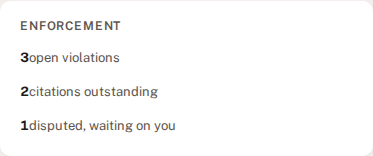
The morning check
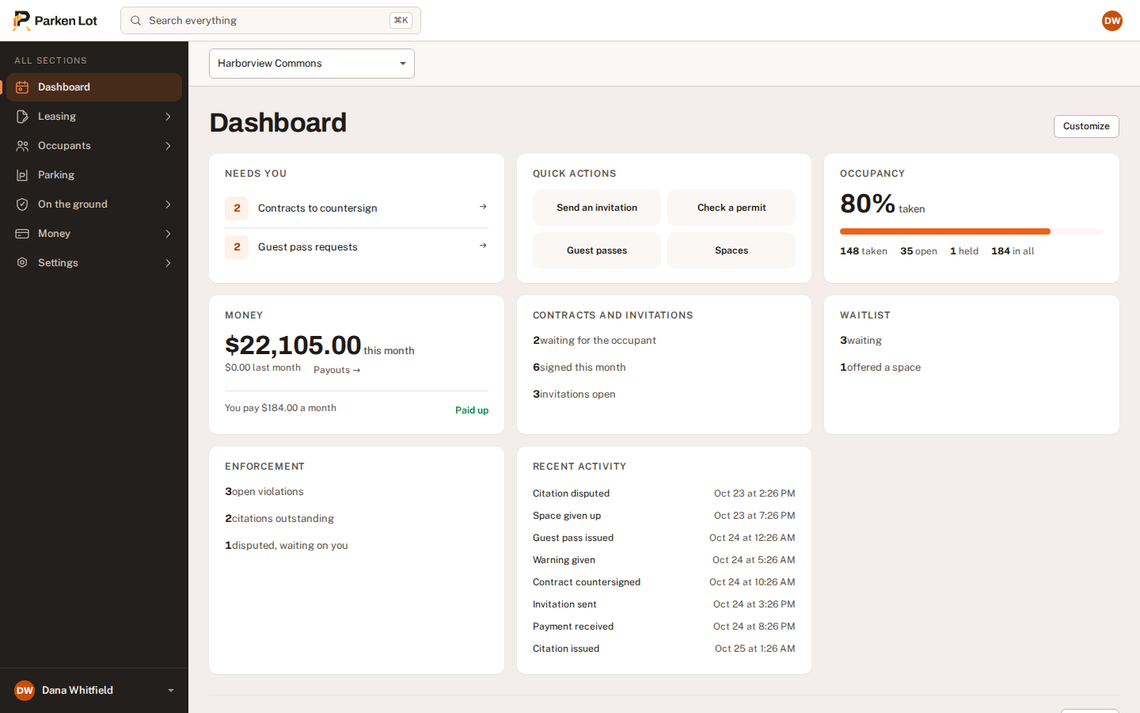
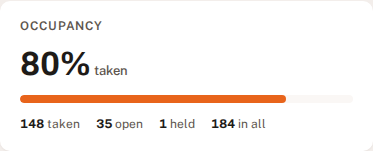
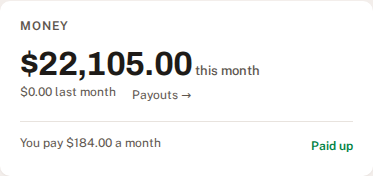
Three questions, answered before the coffee is down.
Cut straight out of the dashboard — the same three cards a manager reads first thing.
The lot
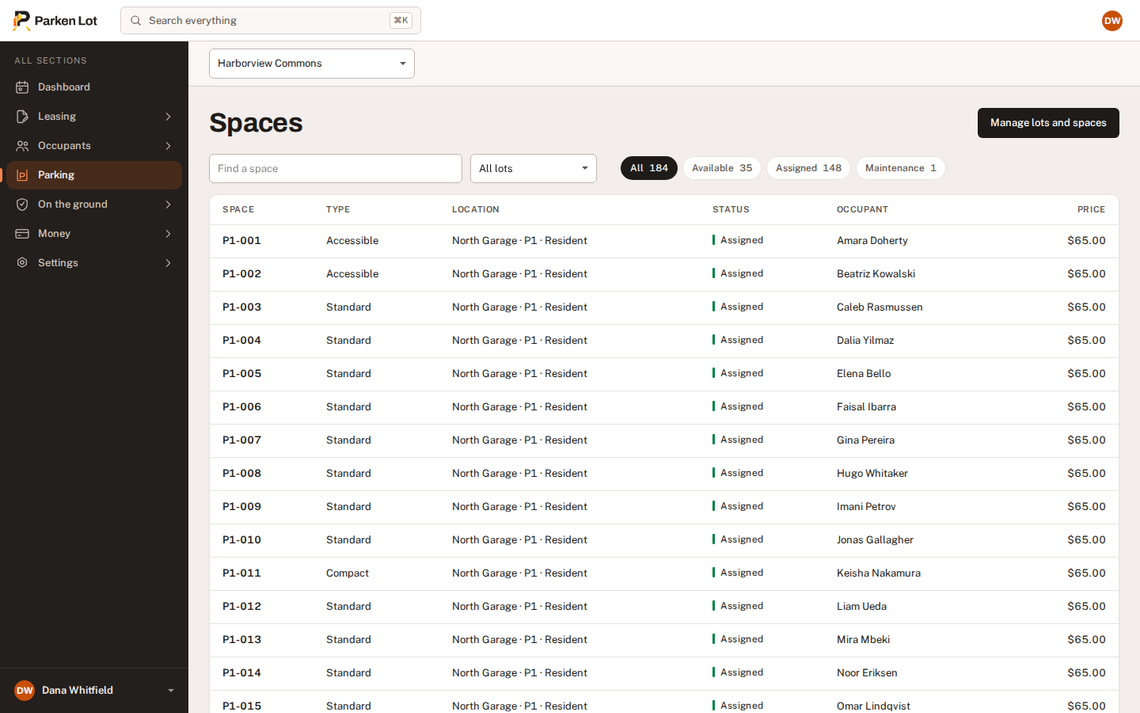
One list of every space, however the building is laid out.
Areas, levels and zones exist because buildings have them — not as a gate you walk through before you can see anything. Filter by any of them, or ignore them and work from the list.
Spaces, not spreadsheets
Every bay in the building on one screen: who is in it, what kind it is, and whether it is taken. Compact enough to scan two hundred rows, and the same list on a phone.
- Types that mean something — compact, accessible, EV, motorcycle, oversize and tandem, each filterable.
- Held and out of service are states, not a note somebody left in a cell.
- Several properties at once, or one at a time, from the selector at the top of every page.
The people, and what they drive
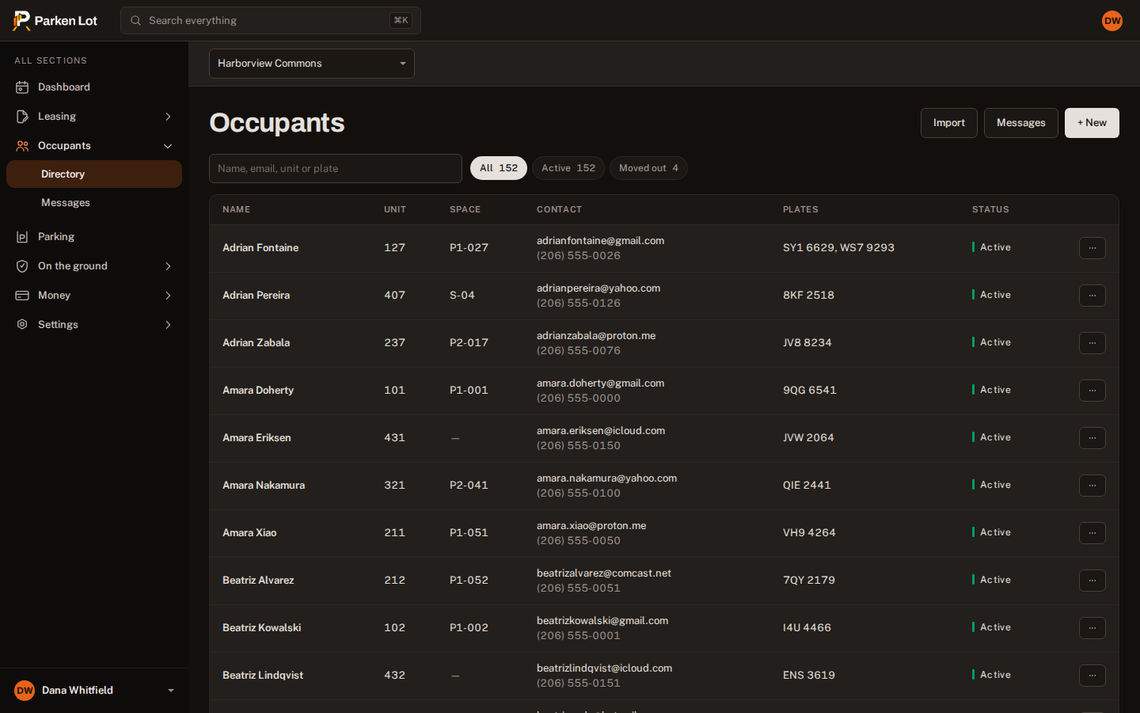
One directory of households: the unit, the contact details, the space, and every plate on the account. Searchable by any of them, which is what you actually have when somebody rings about a car.
- A plate is enough to find the household, the space and the permit.
- Second vehicles are priced per property, prorated when they are added mid-month.
- Import an existing list, see exactly what will be created, then create that.
Guests, without the argument
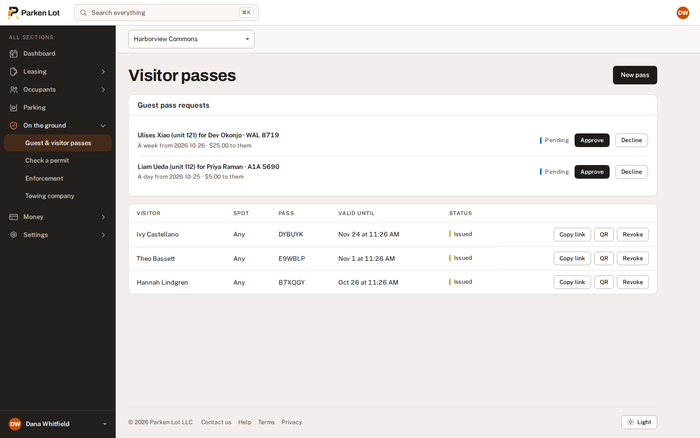
A resident asks for a pass from their own screen. You approve or decline it, and an approved pass prices itself by the day, week or month at the rates you set.
- A pass that verifies — anyone checking a car scans the code or types the plate and gets a plain yes or no.
- Requests in one queue, not in a mailbox, with who asked and when.
- Charged, or free, per property. Both are a decision and neither is a default.
On the ground
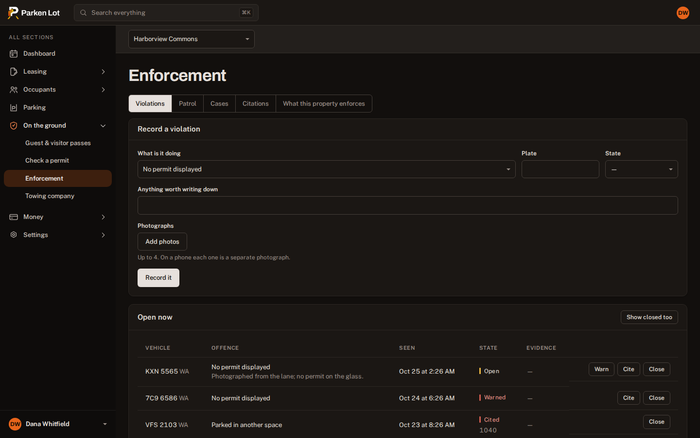
Enforcement that holds up when somebody disputes it.
A violation records what was seen, when it was seen, and the grace period that applied at that moment — not whatever the rule happens to say today. Warn first if the offence calls for it, cite if it does not.
From a photograph to a decision
Offence types are yours: the fee, the grace period, and whether a warning comes first. A citation can be disputed by the resident from their own screen, and upheld, reduced or withdrawn from yours — with the reason kept.
- Patrol rounds check plates against the registry and live passes, and keep the ones nobody recognizes.
- Photographic evidence on the violation, taken at the car.
- Towing goes to the company you named, and the case records what they did with it.
Money
Bill monthly, collect automatically, and see where it went.
Rates are per property and per space. Invoices are raised on a schedule, cards are charged off-session, and what was not collected is visible before it becomes a conversation.
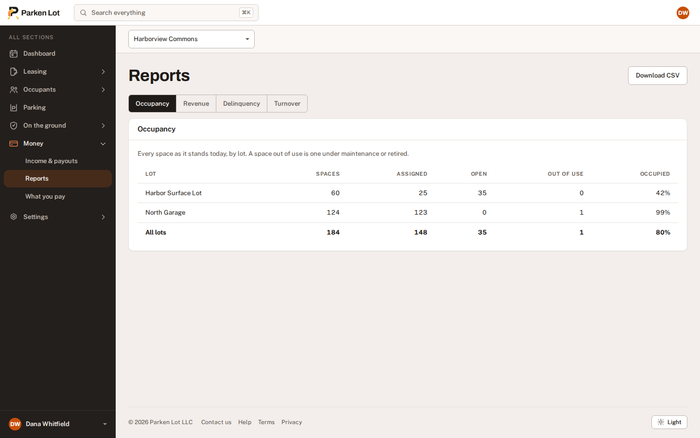
Reports with the figures behind them
Occupancy, revenue, delinquency and turnover, each exportable as the same numbers the screen is showing — not a second calculation that disagrees with it.
- Payouts on your schedule — automatic daily, weekly or monthly, or manual, per company.
- A bank per property, chosen rather than onboarded again.
- Every charge traceable to the invoice, the line and the payment.
The other side
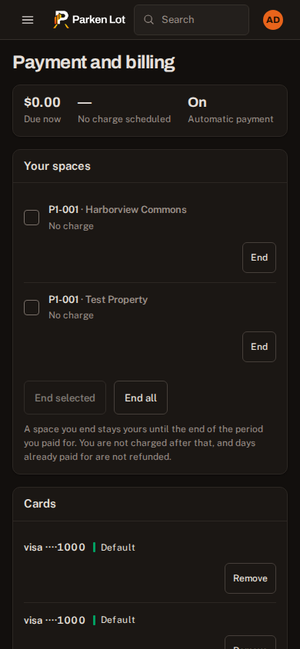
What the resident gets, without installing anything.
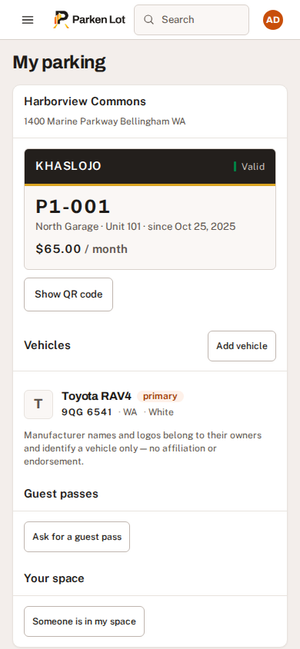
Their permit, their vehicles, their guest passes and their bill — on the phone in their hand. Most of the questions that reach a manager are answered here instead.
- A permit with a code that anybody checking can verify in seconds.
- Add a vehicle, ask for a guest pass, pay a bill, read the contract they signed.
- Report somebody in their space — the complaint that otherwise arrives as a phone call.
Everything in it
The eight people ask about first.
There is a great deal more than this. One plan, and all of it is included.
Digital permits
A permit on a phone, checked from a plate or a code in about three seconds.
How it worksGuest passes
Residents request, you approve or decline, and the pass prices itself by the day, week or month.
How it worksEnforcement
Warnings, citations and disputes, with a photograph and a grace period stamped at the moment of observation.
How it worksContracts and signing
Your paper, signed in the browser, stored with its own full text and a hash of it.
How it worksPayments and payouts
Charge residents monthly; every dollar reaches your own bank.
How it worksWaitlist
One queue, in order, with an offer that expires instead of being forgotten.
How it worksOccupants and vehicles
One directory: who lives where, what they drive, which space is theirs.
How it worksReporting
Occupancy, revenue, delinquency and turnover, each with the figures behind it.
How it worksGetting started
What the first afternoon looks like.
- Describe the lot
Areas, levels, zones if you use them, and the spaces. Number them in ranges rather than one at a time — “P1-001 to P1-060” is one instruction.
- Pay for the spaces
Per space, per month. This comes after the lot is described, because the price cannot be quoted before anyone knows how many spaces there are.
- Bring the residents in
Import a list you already keep, or invite people one at a time. Each invitation can carry the contract they have to sign.
- Set the rates and the rules
The monthly rate, the second-vehicle rate, the guest pass prices, the offence types and their fees.
- Connect the bank
One verification for the company, one bank account per property. Payouts start on the schedule you chose.
Who it is for
Built for buildings, not for airports.
HOAs
Guest-pass abuse, one space per unit, and a board that has to be able to show the rule was applied the same way to everybody.
What it looks likeCondo associations
Deeded and assigned spaces, an owner who rents their unit out, and a manager who needs both on one screen.
What it looks likeApartments
Lease-up, turnover, second cars, and parking as revenue rather than a cost center.
What it looks likeCommercial lots
Monthly parkers, contracts, collections, and a lot that has to pay for itself.
What it looks likeCampuses
Permit classes, a term that starts all at once, and a waitlist that has to be fair.
What it looks likeQuestions people ask before signing up.
What does it cost?
One price, per space, per month — whether a space is occupied or empty, because it is the space you are managing. There is no setup fee, no per-user charge and nothing to buy for the lot. The pricing page has the number and a calculator.
Who holds the money?
It is yours throughout, and you do not have to set anything up before you start collecting. We take residents’ payments for you, as your agent — paying us pays you — and pass your price to your own Stripe account, whole, usually within a few days of each payment. From there it reaches your bank on the schedule you choose: daily, weekly, monthly or manually. We take no share of it: our charge — 3.75% and 98¢ — is added to the resident’s total and shown to them before they pay. Parken Lot bills you separately for the spaces, the way any other supplier would.
Do residents need an app?
No, and nothing here will ever require one. A resident opens a link, and their permit, vehicles, guest passes and bills are in the browser on whatever they already have. There are iPhone and Android apps for residents who would rather have one — they add a permit to the phone’s wallet and push the notices through — and everything works the same without them.
Do we have to buy gates, cameras or readers?
No. Parken Lot is the record of who may park where, and a permit is checked by reading a code or typing a plate. If you already have hardware it keeps doing its job; this does not replace it and does not need it.
Can it tow?
It raises a case and carries it to the towing company you chose, and records everything that company does. It does not tow, dispatch or decide, and it is careful never to imply that it will — the tow is the operator’s decision and the statutory notice to the vehicle’s owner is theirs to issue.
How long does setting up take?
An afternoon for a building of a couple of hundred spaces. You describe the lot once, import or invite the residents, set the rates, and the rest follows from that.
What does a resident pay?
Your price, plus a service charge of 3.75% and 98¢ for collecting it. Both are itemised on their screen before they pay and on every statement afterwards, so nobody is surprised by a total. You receive the price you set, in full — nothing is deducted from your side to cover card fees.
Does it connect to AppFolio, Yardi or Buildium?
Not directly, and we would rather say so than let you find out later. Those systems open their data to companies with a signed partner agreement, so no key you hold can give us access. Export a tenant or rent-roll report as a spreadsheet and import that instead — it takes a minute and works with any system that can export one.
Are we tied into anything?
No contract and no minimum term. You pay for a month at a time and can stop at the end of a period you have paid for; nothing renews after that. Your data is yours to export for as long as the account is open.
Start with one property.
Describe the lot, see the price for your own number of spaces, and decide then. Nothing is charged before you have something to charge for.